Explore your own laptop or PC to fill out the form below. You are not required to take pictures of the inside of your laptop.
a. Who is the manufacturer for the case of your laptop or PC, and how old and experienced are they in the field? Attach at least 3 pictures of your laptop or PC in the report.
b. Which model is your screen, and which displaying technology is used in the screen, for example OLED, QLED or hologram? Do you have any additional or detached monitors? Attach at least 2 pictures of your screen to the report.
c. Which model is your CPU, for example Arrow Lake or Ryzen, and who is its manufacturer, for example Intel or AMD? Which version or generation is it, for example 11st, 14th, 7900X or 9950X, and which lineage is it, such as Duo, i7, Ryzen 5 or Ryzen 9, and how many cores does it have? Attach at least 1 picture demonstrating your CPU’s frequency.
d. How much memory does your RAM have, and what is the frequency speed of your RAM? What does that frequency tell you? Attach at least 1 picture depicting the memory and the frequency of your RAM.
e. How much storage does your disk have? Which type is it, HDD or SSD, and what is the main difference between HDD and SSD disks? Attach at least 1 picture illustrating the storage size and the type of your disk.
f. For each port available on your laptop or PC: which type of port is it and what is its role? Which version is that port of and how does it differ from its prior version? Attach at least 1 picture of the port physically.
Your submission should be written in Microsoft Word in docx format and named with <StudentID>.docx where <StudentID> is your Student ID, for example 25123456.docx.
The example report below comes from the statement PDF, reproduced in sequence.
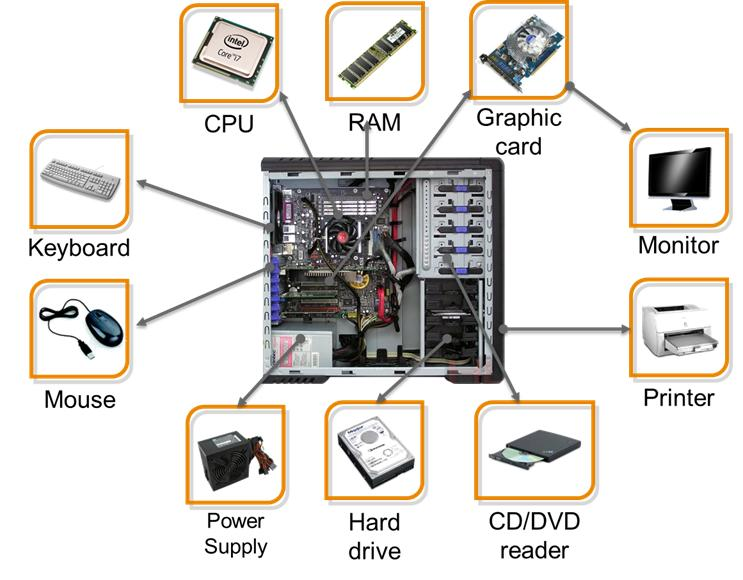
The example report from the statement PDF, page 1 of 3.
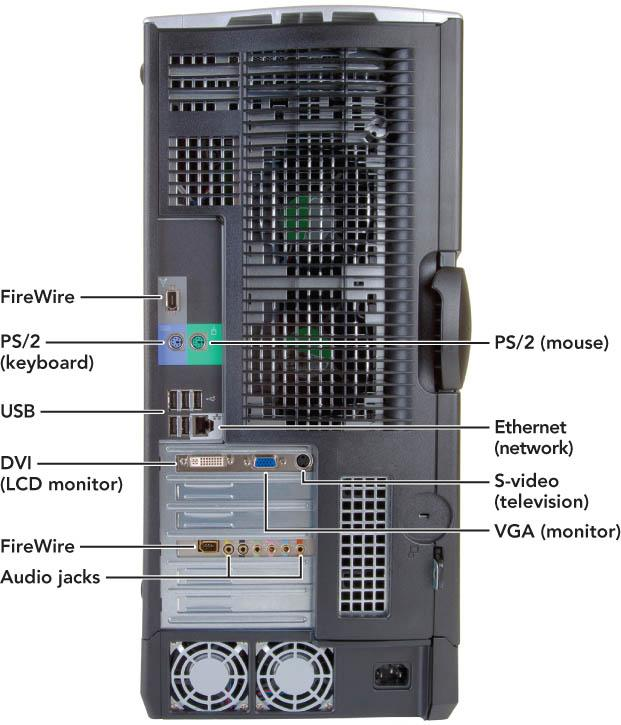
The example report continues with screenshots of the hardware details, page 2 of 3.
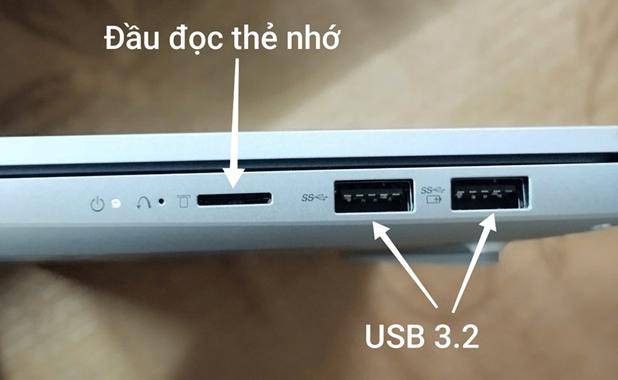
The example report continues, page 3 of 3.